
Now available · Built for Shopify · UK · Ireland · Canada · US
Sync Shopify and Sage Business Cloud — both ways, to the penny.
Sagify is the embedded Shopify app that posts your orders, refunds and payouts into Sage Accounting — keeps products and stock in step both ways, and gets VAT right for the UK and Ireland, GST/HST for Canada and sales tax for the US. No desktop install, no re-keying.
Free plan included · From the team behind Sagify for Sage 50
- £UK VAT
- €IE VAT
- C$GST · HST
- $US sales tax
- 2-way inventory sync
- £0.00 payout difference
- UK·IE·CA·US tax done right
- Free plan to start
Inside your Shopify admin
Familiar from the first click
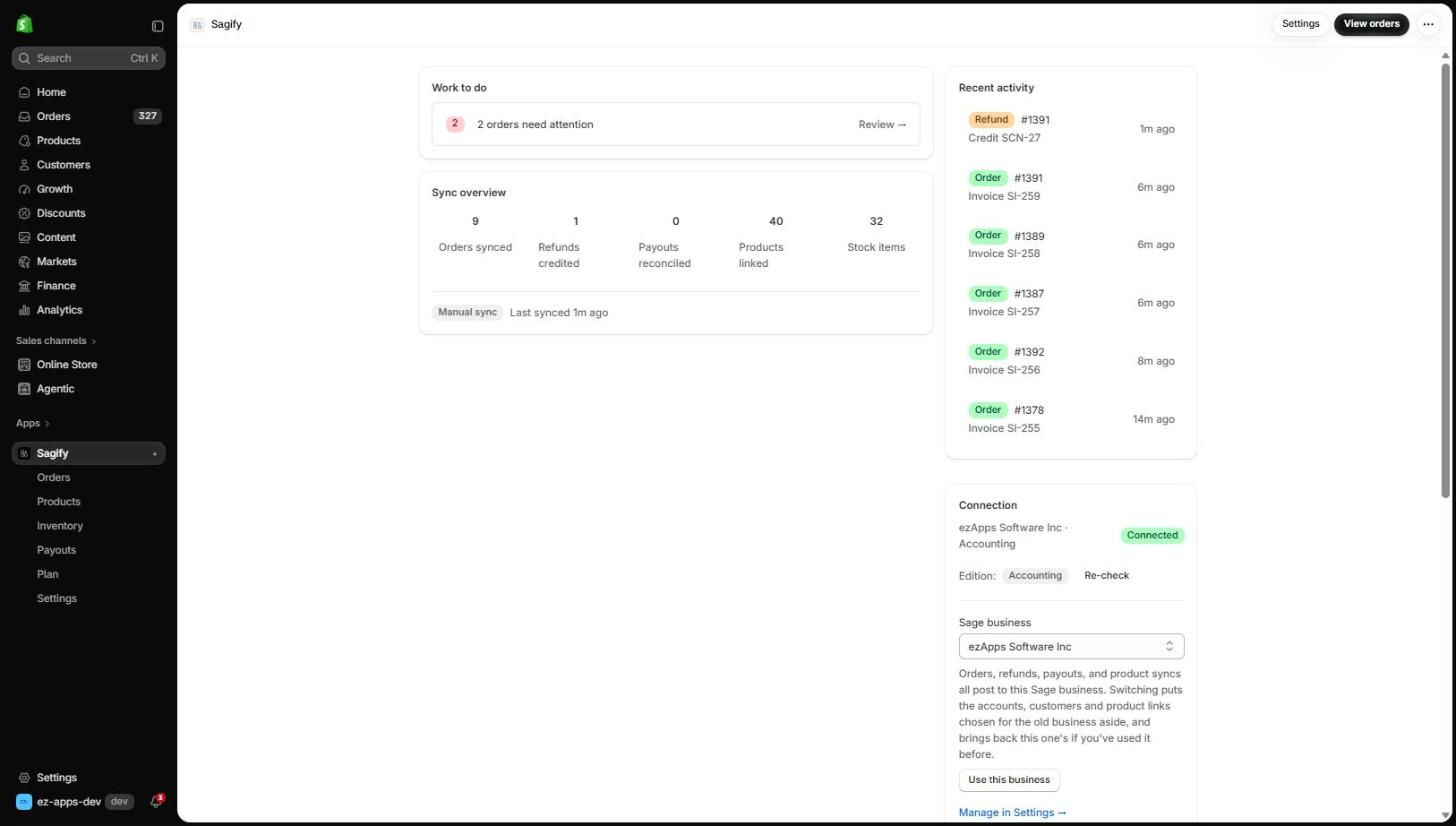
Sagify is a Shopify app, not another dashboard. These are real screens from a store synced to Sage Business Cloud Accounting — the same ones the help docs walk through.
Orders
Pick the orders, press Process
Every Shopify order with its sync state, right where you already work. Process one, tick a batch, or run a date range to backfill history.
- Synced rows carry the Sage invoice number; one click opens it in Sage
- Bulk and date-range processing post oldest first, never twice
- Anything that needs a decision says why, and waits
Orders → Sage invoices
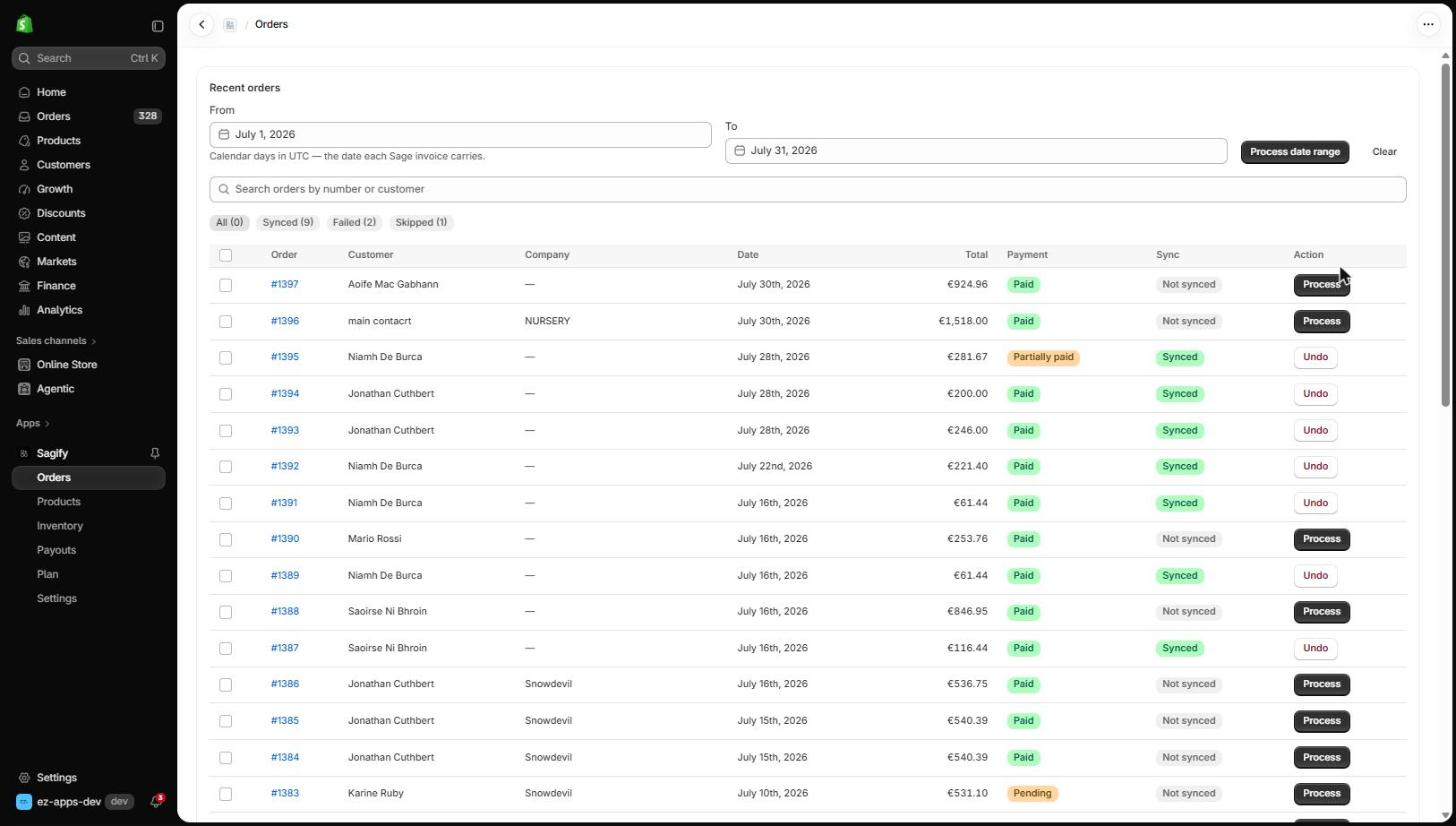
The invoice you would have typed — without typing it
One line per product, posting to its own Sage item and sales account with the exact VAT Shopify charged. The customer is matched or created, the order number is the reference, and the total is what the customer paid.
- Discounts, delivery and tax land on the accounts you choose
- Customer references follow your own naming format
- Invoices post unpaid; payouts pay them
Fail-closed
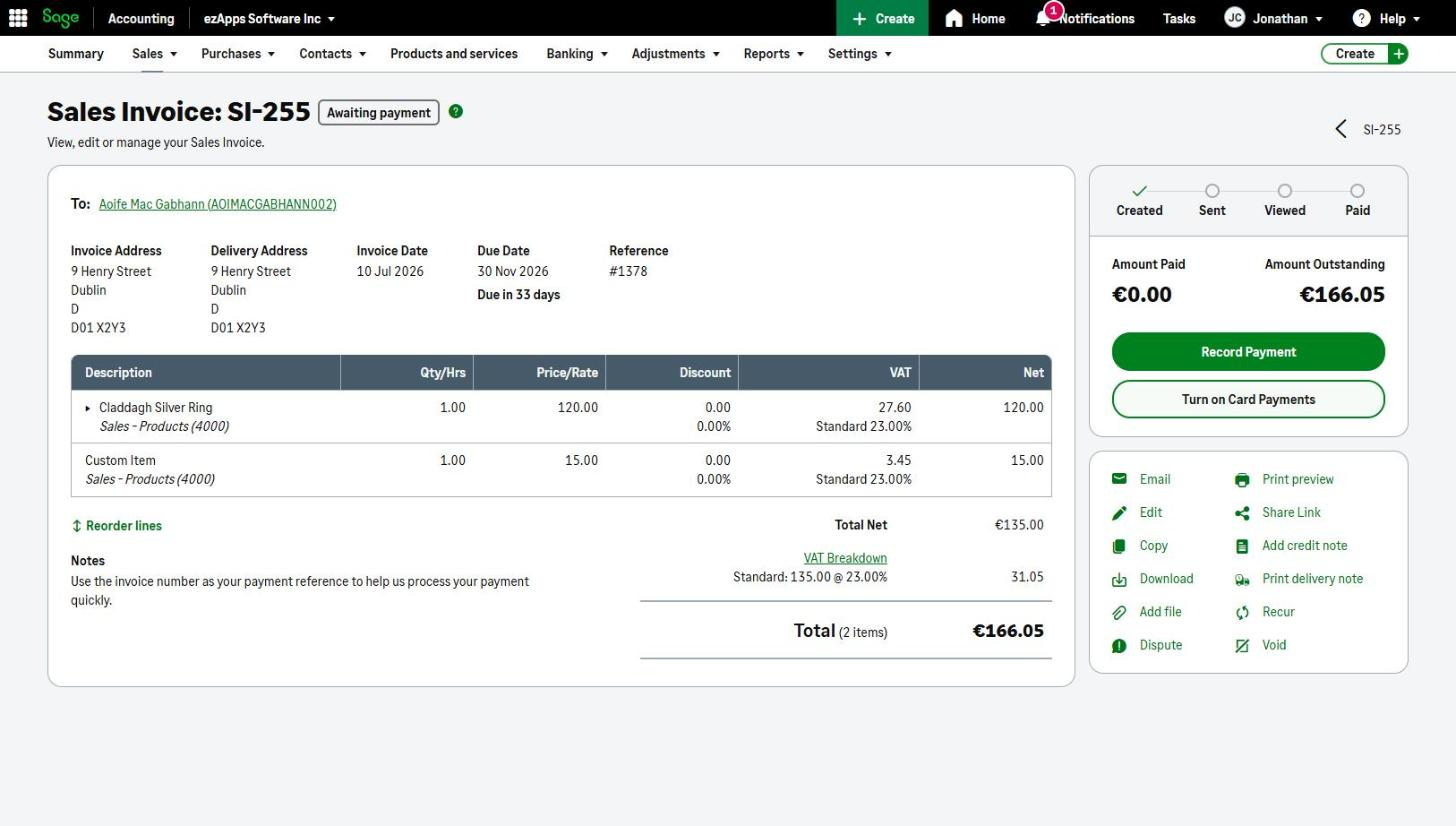
Nothing posts wrong, nothing disappears
An order Sagify can't post completely waits with a reason — a product not in Sage yet, a tax rate Sage can't match, a missing customer. Fix it in one form and it posts; the answer is remembered for the next order like it.
- Every check runs before anything is written to Sage
- Create or link the Sage item, pick the rate, choose the account
- A daily email lists what needs you — and nothing on quiet days
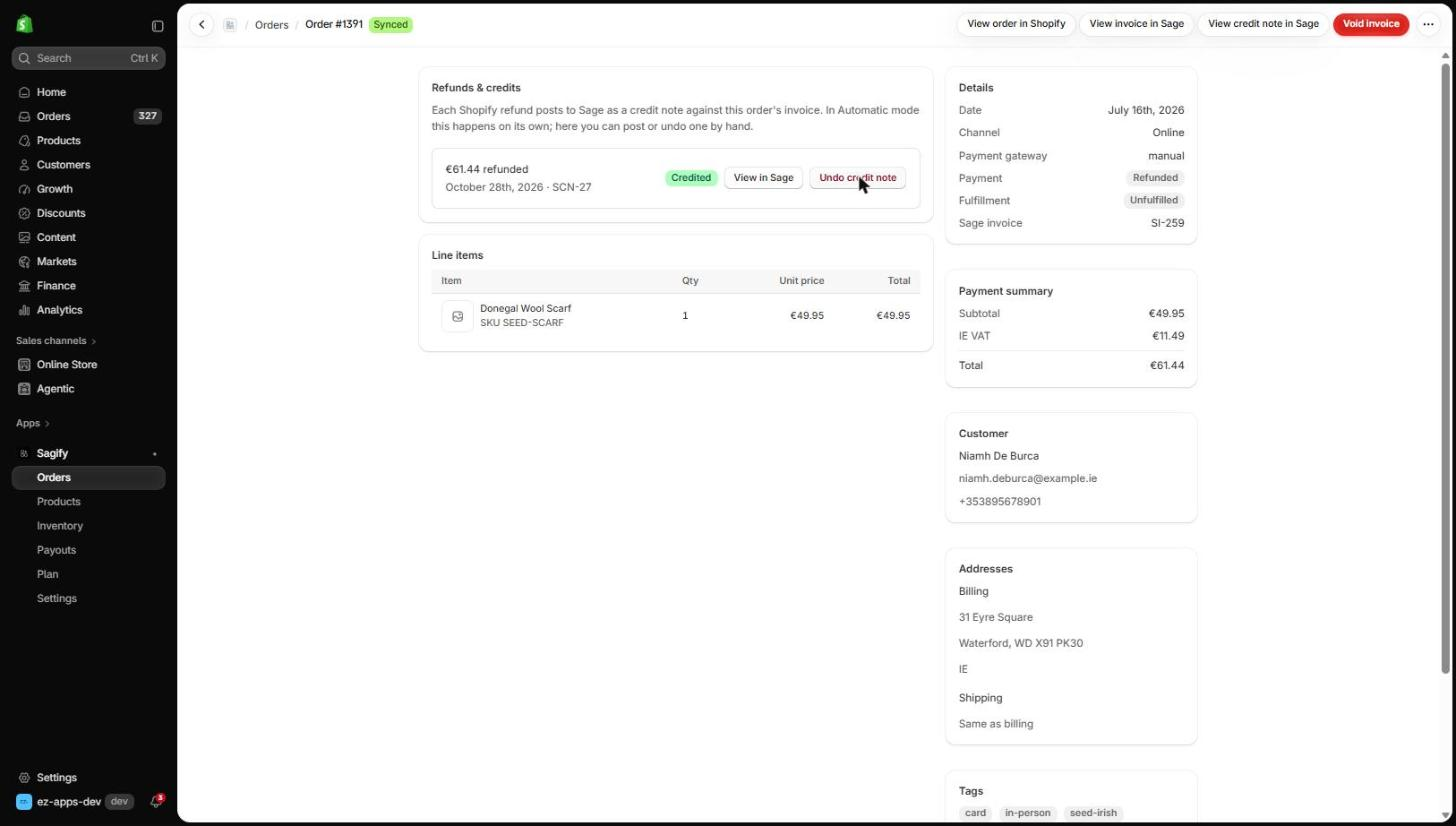
Refunds → credit notes
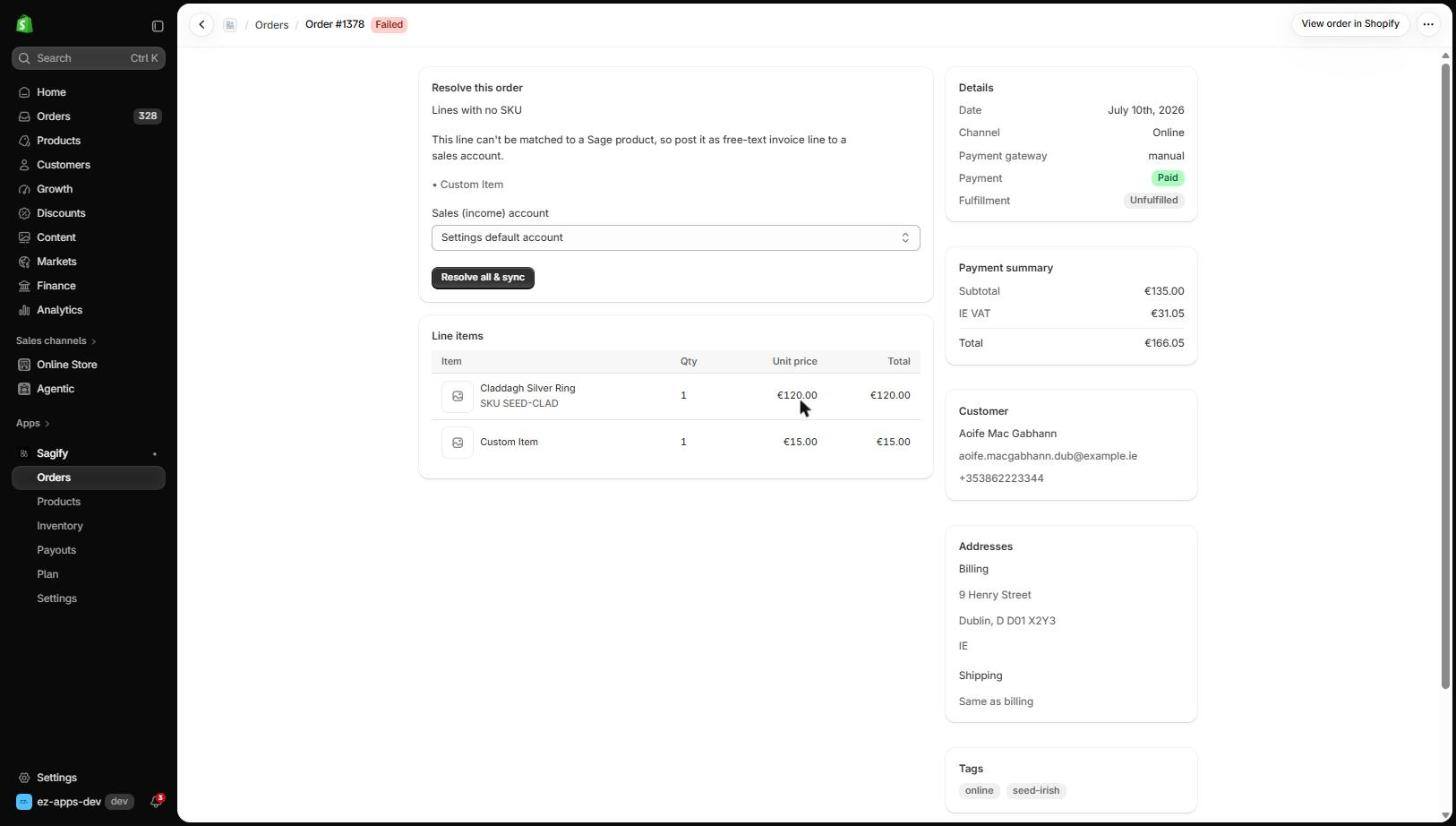
Money back, credited correctly
A Shopify refund posts as a credit note against the original invoice — partial refund, partial credit note — allocated so both show as settled. Cancellations follow the rule you set.
- Automatic in real time, or one click in Manual mode
- Restocking fees go to the adjustment account you choose
- Undo a credit note from the same screen
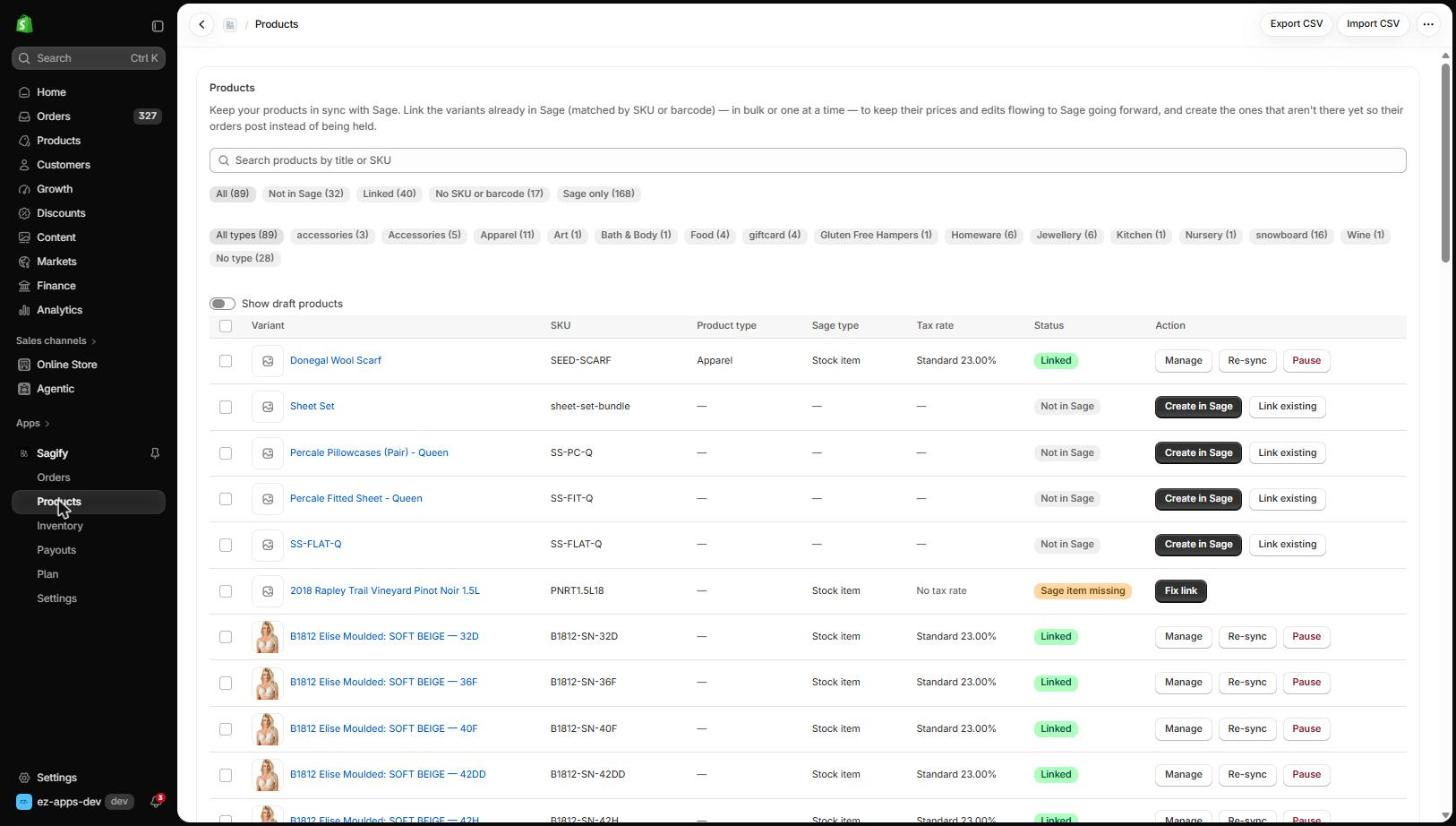
Products & catalog
Your catalog, matched item by item
Variants link to Sage items by SKU or barcode on their own. Create the missing ones with the right type, tax rate and accounts — one at a time, in bulk, or from a CSV — and keep names and prices flowing to Sage after that.
- Linked, Not in Sage, No SKU, Sage only: every variant has a status
- Per-product tax rate, accounts and trade prices are never overwritten
- Price changes in Shopify reach Sage in seconds
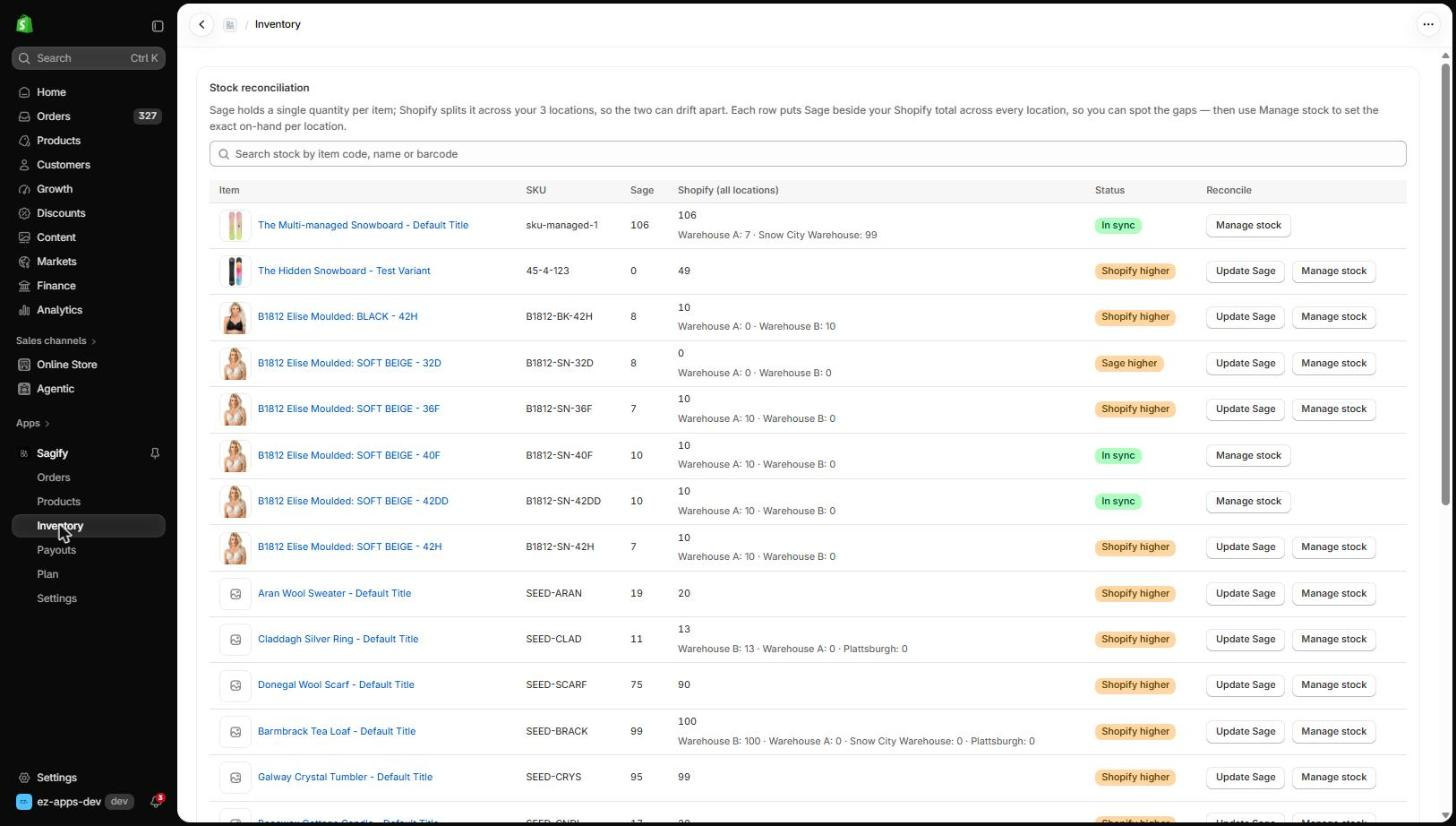
Two-way inventory
Sage beside every Shopify location
Sales already move stock through the invoice. For everything else — restocks, stocktakes, manual edits — the Inventory page shows the gap between Sage and your Shopify locations and closes it in either direction.
- In sync, Shopify higher, Sage higher: spot the drift at a glance
- Update Sage from Shopify, or set each location's on-hand from Sage
- Nothing changes until you say so
Built on your real books
Everything that belongs in Sage, in Sage
Orders, refunds, payouts, products and stock — posted to Sage Accounting automatically, so you stop re-keying and your books actually tie out.
Orders → sales invoices
Every sale becomes a proper invoice
Every Shopify sale, online or POS, becomes a proper Sage invoice.
Refunds → credit notes
Money back, captured correctly
Money back to a customer is captured correctly — partial refund, partial credit note.
Payouts → bank receipts
Your bank balance ties to the deposit
Your Sage bank balance ties to the single deposit Shopify actually paid — fees and all.
Inventory & pricing
Only SagifyStock and prices, kept current
Stock stays aligned both ways. Turn on price sync and a Shopify price change updates Sage too.
Cost and B2B trade prices stay exactly as you set them.
Multi-region by design
VAT, province tax and sales tax, done right
Sagify detects your Sage legislation when you connect, and posts the exact tax your customer paid — pinned to Shopify's figure, on the right Sage rate.
United Kingdom
System-managed VAT, matched by rate.
Ireland
EU tax-inclusive pricing handled; shipping split into net + VAT.
Canada
GST / HST / PST by province — the right province stamped on every invoice.
United States
State and local sales tax — the rate is created in Sage the first time it's seen.
Can't map a tax rate? The order waits instead of posting the wrong number — you never get silently-wrong VAT.
Pricing
Start free. Grow when you do.
Billed monthly through Shopify, on your Shopify invoice. A document is one invoice or one credit note posted to Sage.
Free
Free
30 documents / mo · hard cap
- Manual order + refund sync
- Auto customer matching + creation
- Auto product matching + creation
- Correct tax for UK, IE, CA & US
Starter
$29/ month
150 documents / mo · then $0.35 each
- Everything in Free
- Automatic real-time sync
- Shopify POS + online orders
- Email support
Growth
Most popular$59/ month
250 documents / mo · then $0.25 each
- Everything in Starter
- Two-way inventory reconciliation
- Product, price + catalog sync to Sage
- Per-product Sage overrides
- Advanced customer matching
Pro
$99/ month
500 documents / mo · then $0.15 each
- Everything in Growth
- Shopify payout reconciliation
- Deposits and fees matched in Sage
- Guided onboarding and setup
- Priority email support
Prices in USD. Change or cancel anytime in Shopify. Payout reconciliation is on Pro; product sync and inventory need Growth and a Sage Accounting plan with a product catalog (stock needs Sage Accounting Plus).
Why Sagify
The sync that actually reconciles
Most Shopify-to-accounting tools stop at pushing an order across. Sagify closes the loop — both directions, every region, to the penny.
| Capability | Sagify | Typical connector | Zapier / DIY | Manual entry |
|---|---|---|---|---|
| Orders → Sage invoices | Supported | Supported | Partial | Not supported |
| Refunds → credit notes | Supported | Partial | Not supported | Not supported |
| Payouts reconciled to the penny | Supported | Partial | Not supported | Not supported |
| Two-way inventory sync | Supported | Not supported | Not supported | Not supported |
| Product / catalog sync | Supported | Not supported | Not supported | Not supported |
| UK/IE VAT, CA province tax, US sales tax | Supported | Partial | Not supported | Partial |
| Never silently drops an order | Supported | Not supported | Not supported | Partial |
| Lives inside Shopify admin | Supported | Partial | Not supported | Not supported |
Comparison reflects common capabilities of each category, not any one product.
Built for Shopify
It lives where you already work
No new dashboard, no desktop install, no separate login. Sagify runs inside your Shopify admin and installs straight from the App Store.
- Installs from the Shopify App Store
- Runs embedded in Shopify admin (Polaris + App Bridge)
- Connect Sage with one OAuth click — tokens encrypted, nothing on your machine
- Session-token auth and the required privacy/GDPR webhooks, built to Built-for-Shopify standards
Three moves
Live in an afternoon
Connect once, map your accounts, and let Sagify keep Shopify and Sage in step.
Connect
Install from the Shopify App Store and connect Sage with one OAuth click. Your tokens are encrypted — there's nothing to install on your computer.
Map once
Point each product and tax type at the right Sage item, ledger and rate. Your per-variant choices are kept on every re-sync.
Sync
Process orders by hand, or switch on Automatic and let new orders, refunds and payouts post themselves. Anything that can't post parks for you to fix.
Proven track record
New app. Proven team.
The Sage Business Cloud app is new — but the engine isn't. Sagify already runs Shopify ↔ Sage 50 for merchants across North America. These results are from that desktop product; the cloud app is the same workflow, rebuilt for Sage Accounting in the UK, Ireland, Canada and the US.
Questions
Good to know
Get started
Connect Shopify to Sage Accounting today
Install the app, connect Sage with one click and post your first invoice in minutes. Start on the free plan — no card, nothing to install.
Sage Business Cloud Accounting · Built for Shopify · from the team behind Sagify for Sage 50